
Backup · Insights · Call rules
Never lose
your calls.
CallLens keeps your call history safe in your account, shows you who you really talk to — and when — and lets you decide whose calls get through.
Free · Android only · Contains ads
01What it notices
Your call log, read closely.
A call log is just a list. CallLens turns yours into plain sentences about the people in it — lines like these, worked out from your own calls, right on your phone.
- 01
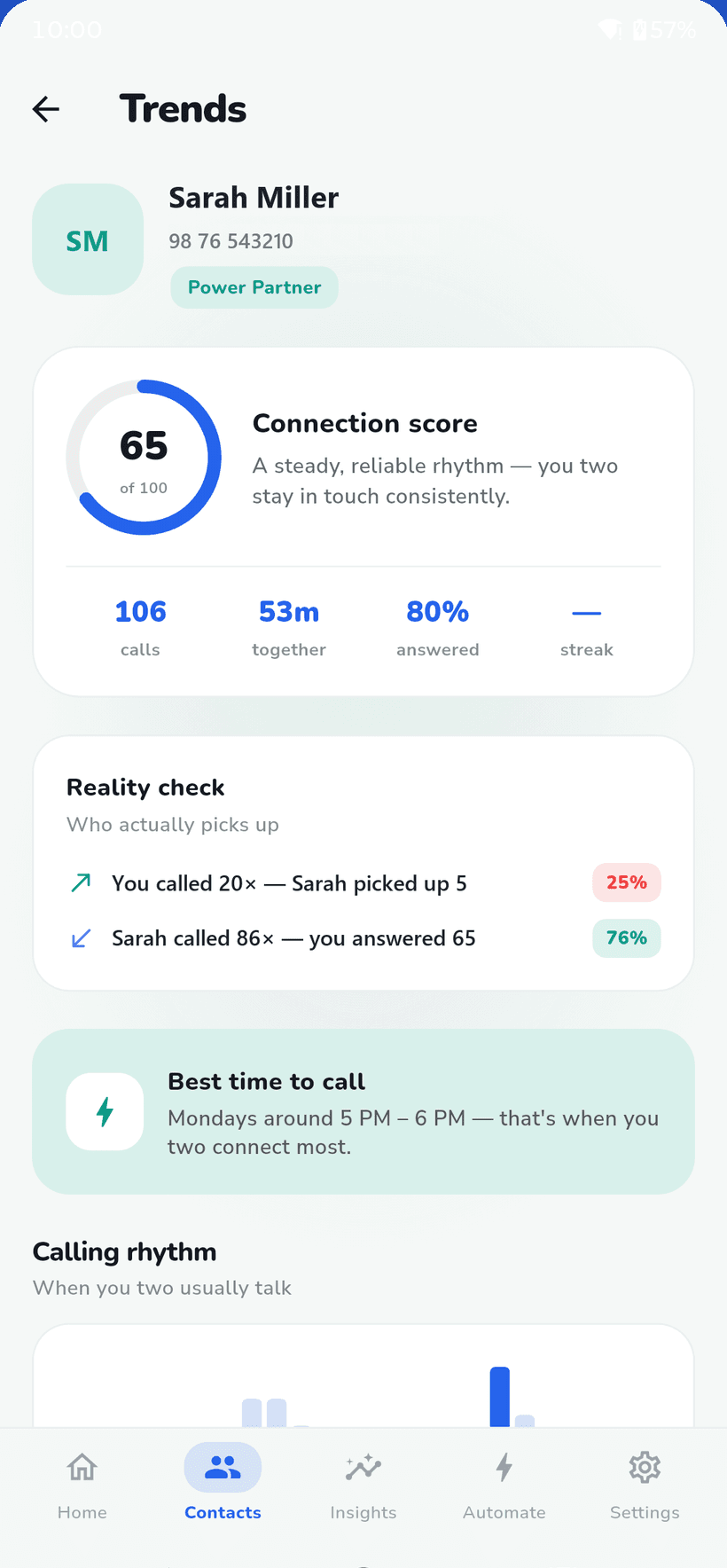
· Trends · Best time to call“Mondays around 5 PM – 6 PM — that's when you two connect most.”
- 02
· Trends · Reality check“You called 20× — Sarah picked up 5.”
- 03
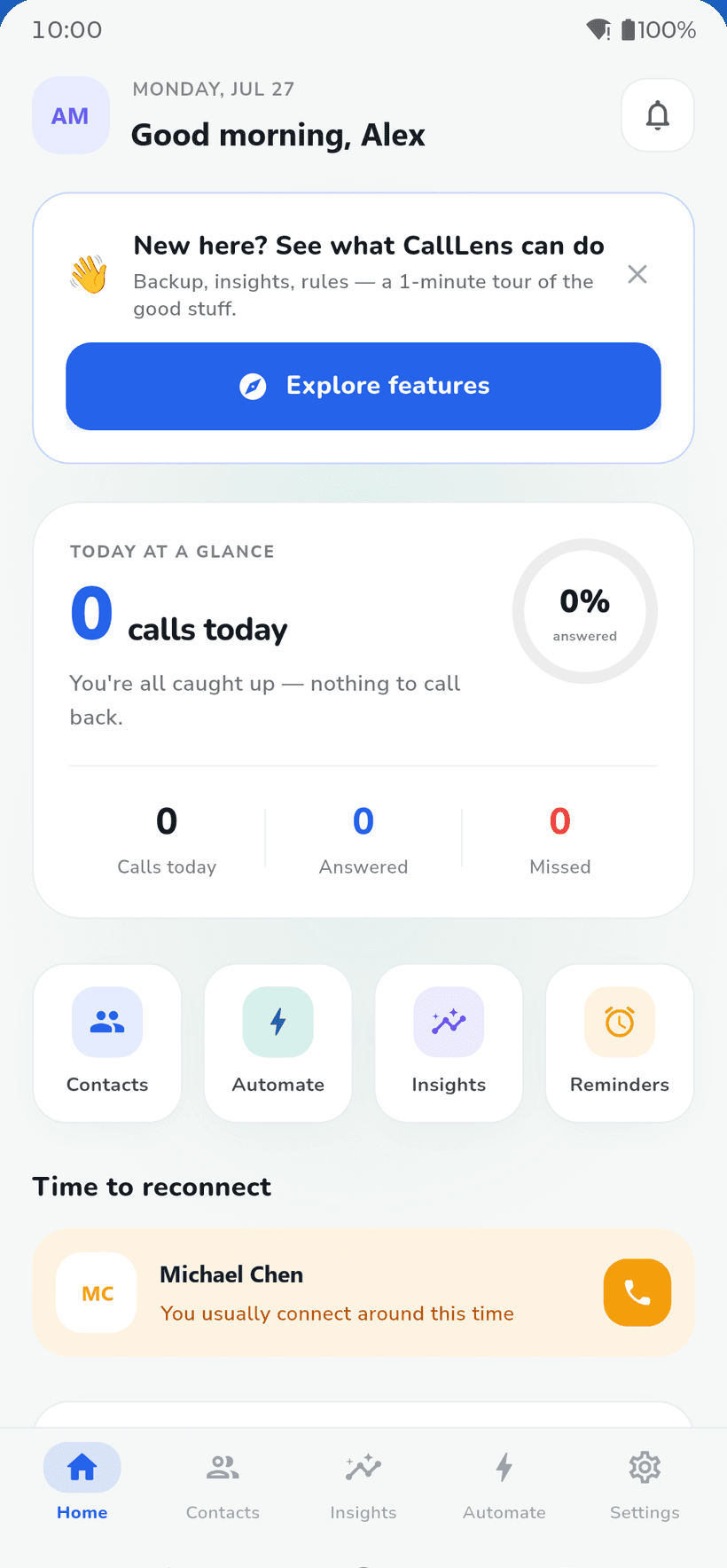
· Home · Time to reconnect“You usually connect around this time.”
- 04
· Trends · Connection score“A steady, reliable rhythm — you two stay in touch consistently.”
02Backup & restore
New phone?
Your calls come with you.
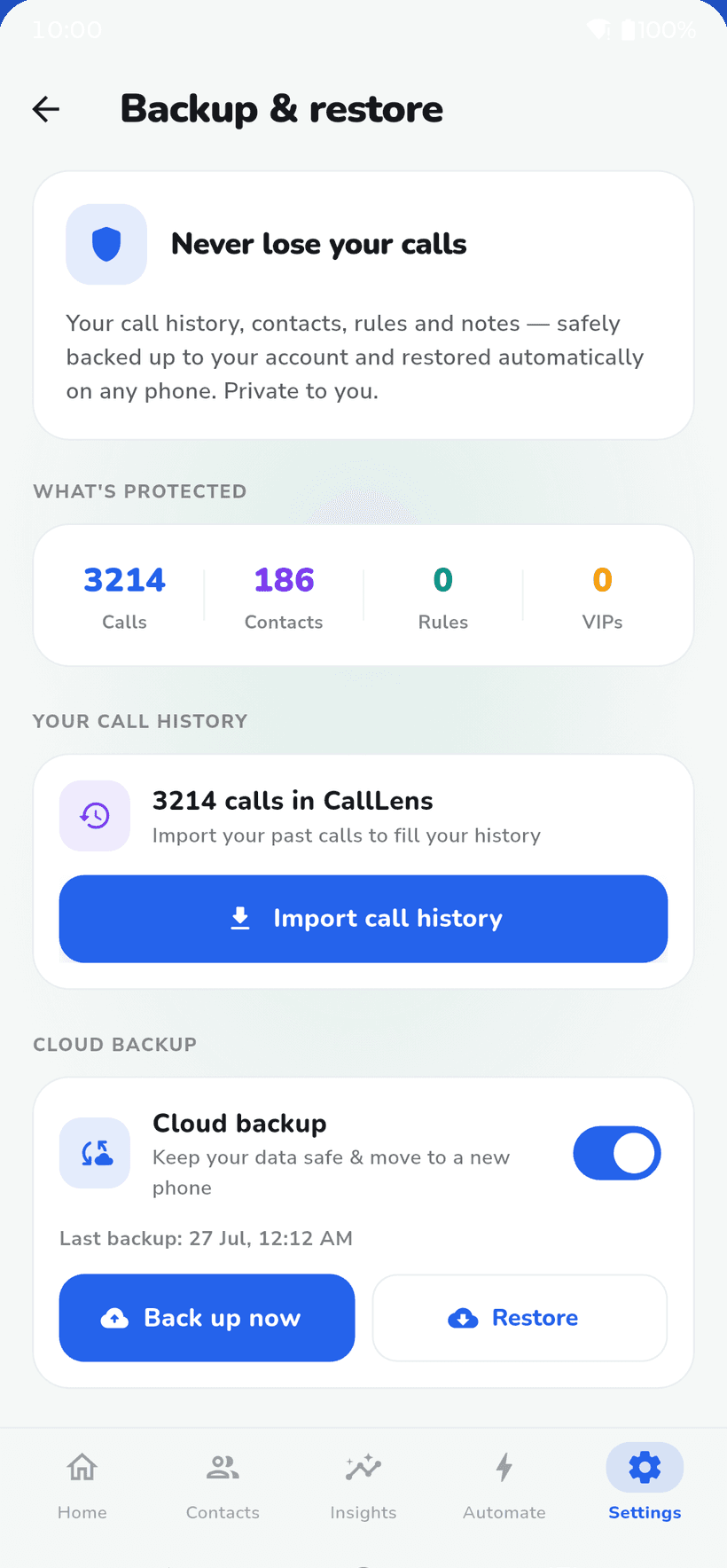
Switch on cloud backup and CallLens saves your call history to your account — on its own, about every four hours. Sign in on your next phone and it all comes back.
What’s protected
- Calls in CallLens
- Contacts — names & numbers
- Rules and VIPs
- Notes
- Reminders
- Mood ratings
- Settings
Good to know
- Off until you turn it on. Nothing leaves your phone for backup unless you choose it.
- Encrypted in transit, and never sold or shared.
- Import call history pulls in the calls already on your phone, so your history starts full.
- Restored calls come back inside CallLens — your phone’s own call log isn’t rewritten.
03Insights & trends
Who you call, who calls back, and when it works.
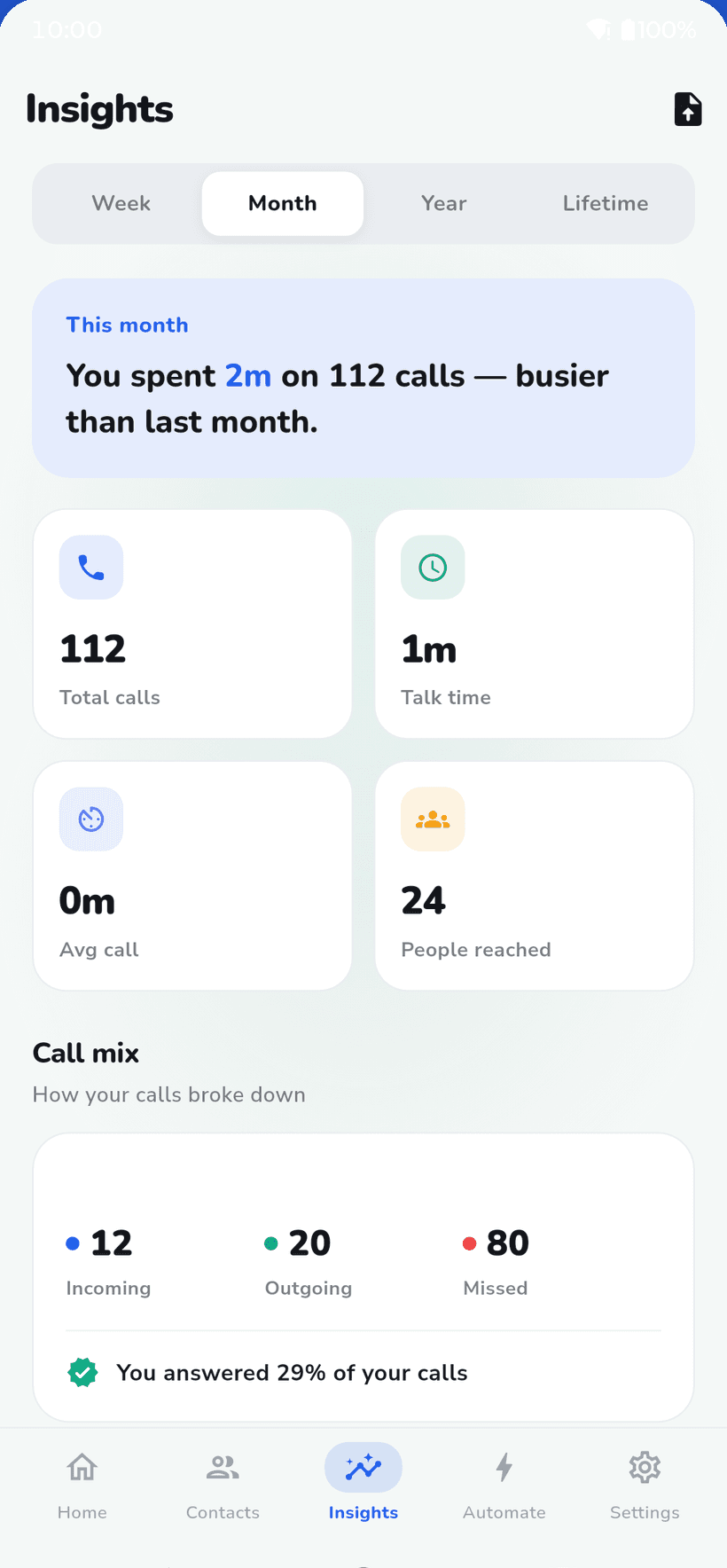
week · month · year · lifetime
↑ one page per person
- Time range
- Week, month, year or lifetime
- Call mix
- Incoming, outgoing and missed
- Patterns
- Your calls by hour and by day
- People
- Who you call most, and your talk time with each
- Per contact
- Connection score out of 100, reality check, best time to call, calling rhythm
Everyone gets a label.
From how often you talk, for how long, and how recently, each contact gets one of four:
- Inner Circleyou talk often, and at length
- Power Partneryou stay in touch consistently
- Casual Contacta call now and then keeps it warm
- Keeps Missing Youyou keep missing each other's calls
04Call rules
You decide
whose calls ring.
Simple rules that quietly manage calls for you. Set them once — they run on every incoming call, even when the app is closed.
On — VIPs still ring
Focus mode
Incoming · 6:00 PM
- Mom★ VIPrings
- Michael Chensilenced
- Unknown numbersilenced
- Office desksilenced
- Sarah Millersilenced
Contact rule
Calls from Michael Chen will only vibrate for the next 4 hours.
…or put it on a schedule: weekdays, weekends, or every day.
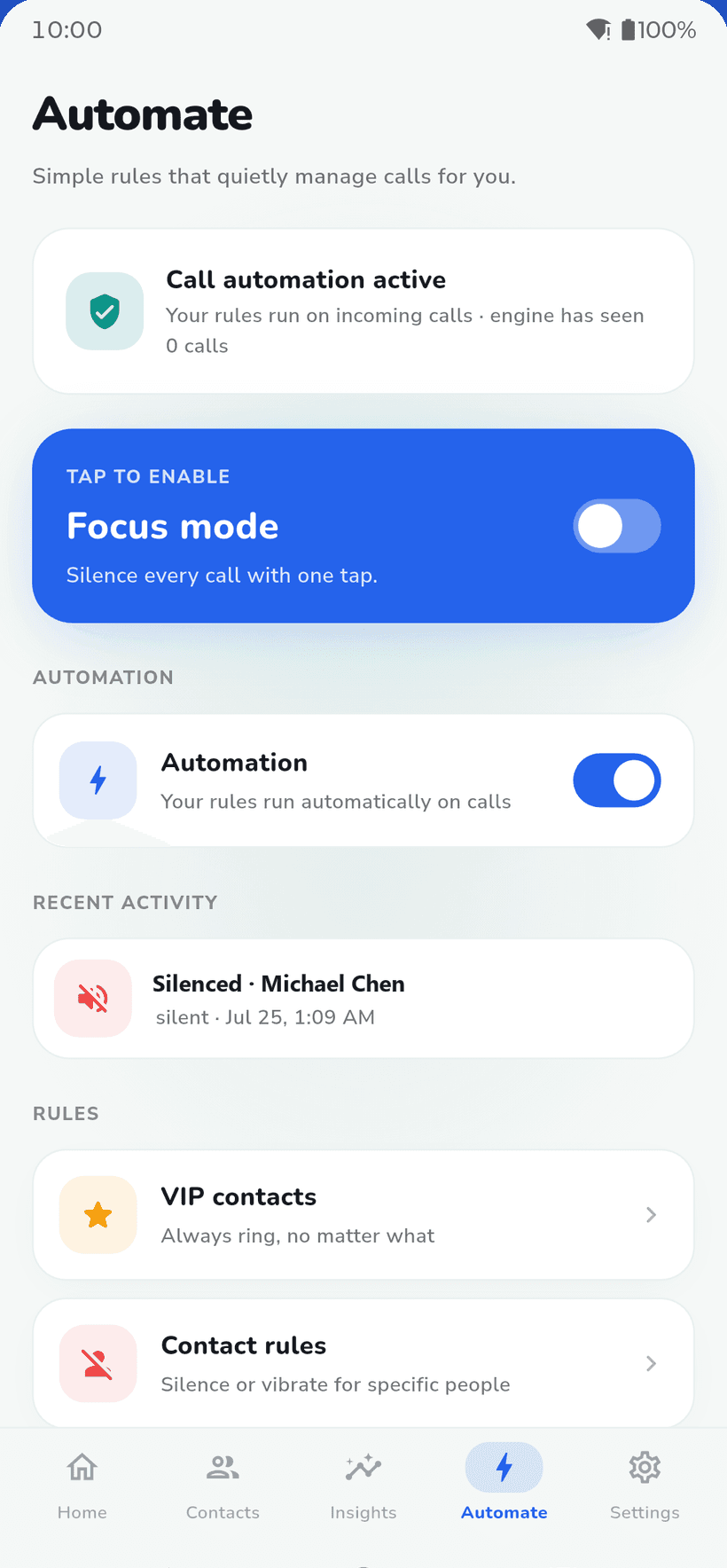
- Focus mode
- Silence every call with one tap. VIPs still ring.
- VIP contacts
- Always ring, no matter what.
- Contact rules
- Silent, vibrate, allow or block one person — for a few hours, until tomorrow, or on a weekday/weekend schedule.
- Contact groups
- Put people together — family, work — and give the whole group a rule.
- Call plans
- Save sets of rules and switch between them.
- Heads-up
- To act on calls, Android asks you to make CallLens your Caller ID & spam app and to allow Do Not Disturb access. The app’s setup screen walks you through both.
↑ it remembers who you usually call around now
05Reminders
Missed it? Don’t forget it.
Set a call-back reminder for anyone in a couple of taps. And when it’s around the time you usually talk to someone, Home nudges you: “Time to reconnect.”
Remind me…
- In 1 hour
- In 4 hours
- Tomorrow morning
- Pick a time
- Daily“Your day at a glance”A daily summary of the follow-ups waiting on you.
- Weekly“Your week in calls”A weekly look at your calling patterns.
- After a call“How did that call feel?”Rate a call in one tap — it adds up to a relationship vibe in their Trends.
06Privacy
No small print. Just the facts.
A call log is personal, so here is exactly what CallLens does with it — including the parts that aren’t glamorous, like ads and crash reports.
Privacy Facts
CallLens for Android
- AccountSign in with Google or email
- Required
- Your call log is read and analysed
- On your phone
- Cloud backup
- Off until you turn it on
- Backup includes
- Calls, contacts, rules, notes, reminders, mood ratings, settings
- Data in transit
- Encrypted
- Sold or shared
- Never
- Analytics & crash reportsFirebase — to find bugs and improve the app
- Yes
- AdsGoogle AdMob — it's how the app stays free
- Yes
- Call recordingCallLens never asks for the microphone
- No
- Delete everythingSettings → Delete my data
- Any time
Backed-up data is tied to your own account. Turn backup off, or delete it all, whenever you like.
Is CallLens free?
Yes. It's free to download on Google Play and is supported by ads.
Is there an iPhone version?
No. CallLens is Android-only — it works by reading your phone's call log, and iOS doesn't let apps do that.
Why do I have to sign in?
Your account is what makes backup work: it's where your data goes when cloud backup is on, and how it finds its way to your next phone. You can sign in with Google or with email.
Is my call history uploaded?
Only if you turn on cloud backup, which is off by default. When it's on, CallLens backs up to your account automatically about every four hours, encrypted in transit. Your data is never sold or shared.
I've got a new phone. How do I get my calls back?
Install CallLens and sign in with the same account — your backup restores automatically, or tap Restore in Backup & restore. Your history comes back inside CallLens; it doesn't rewrite your phone's own call log.
Can it really silence or block calls?
Yes. Focus mode silences everything except your VIPs, and contact or group rules can silence, vibrate, allow or block specific people. For that, Android asks you to set CallLens as your Caller ID & spam app and to allow Do Not Disturb access.
Does CallLens record my calls?
No. It never asks for microphone access. It works from your call log — who, when, how long — not what was said.
How do I delete my data?
In the app, go to Settings → Delete my data. You can wipe your data and keep the account, or delete the account and everything in it.

Your calls,
understood.
Back up your history, see who you really talk to, and choose whose calls ring. Free on Google Play.
Get it onGoogle Play(opens the CallLens listing on Google Play)